Articles & research
Find the main thread
Get the key points, then follow the source sections when you want more detail.
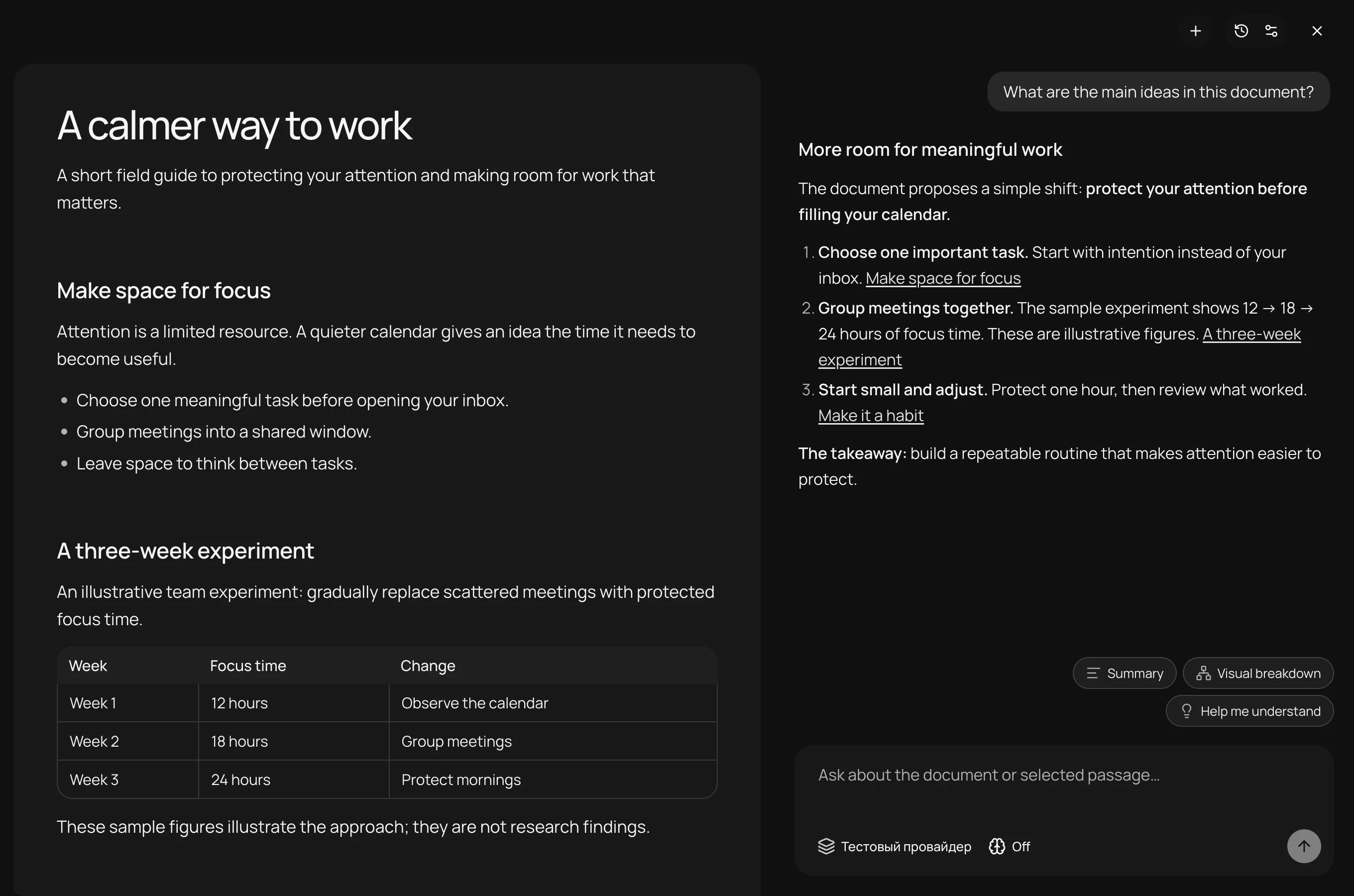
What are the main ideas?
Read, ask, and connect the ideas. A calm workspace for your documents, with the AI you already use.
Keep the document, the conversation, and your own ideas in one place.
Articles & research
Get the key points, then follow the source sections when you want more detail.
What are the main ideas?Reports & documentation
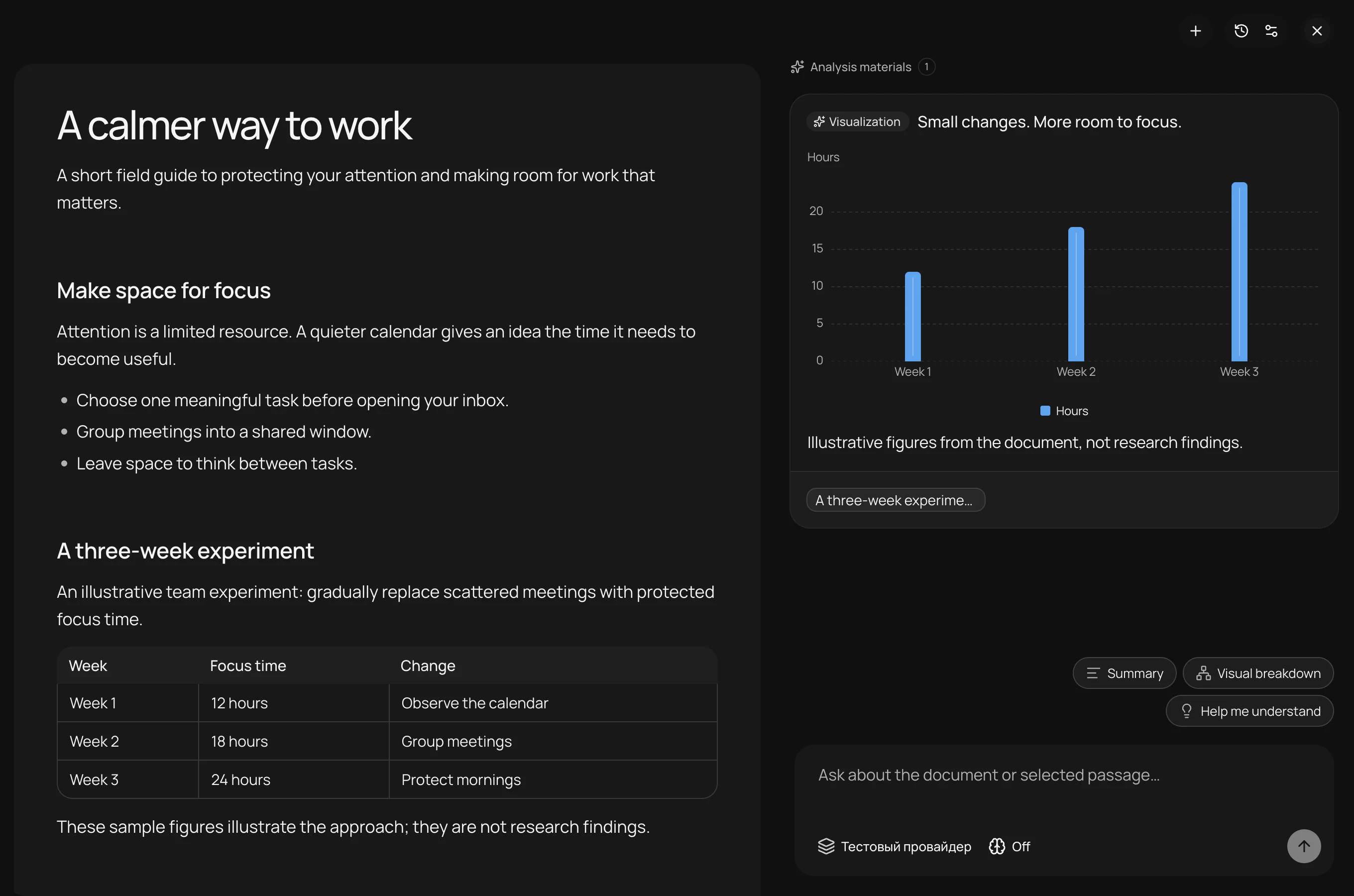
Ask for a table, a chart, or a visual explanation of the material in front of you.
Show this visuallyLearning & reflection
Ask about a passage, try an example, and keep asking until the idea makes sense.
Explain with an exampleSign in to ChatGPT, add a provider API key, or connect an agent installed on your computer.
 ChatGPTAccount sign-in
 Claude CodeLocal agentCodexLocal agent
 OpenCodeLocal agent
 OpenRouterAPI key
 GeminiAPI key
Model availability, limits, and billing are set by your provider. Reading and notes also work without an AI connection.
Choose an action. See how the conversation unfolds.
Pull out the key ideas and return to the relevant sections through links in the answer.
Summarize this document and link to the key sections.
Turn the material in your document into cards, tables, and charts you can discuss further.
Show how the focus time changes across the three weeks.
Bring a difficult passage into the conversation. Ask for an explanation, an example, or another way of looking at it.
Explain the idea of protected focus time with an example.
Real app screenshots with a sample document and prepared AI responses.
Open a file or paste Markdown. Read in a focused window, then bring the conversation alongside when you need it.
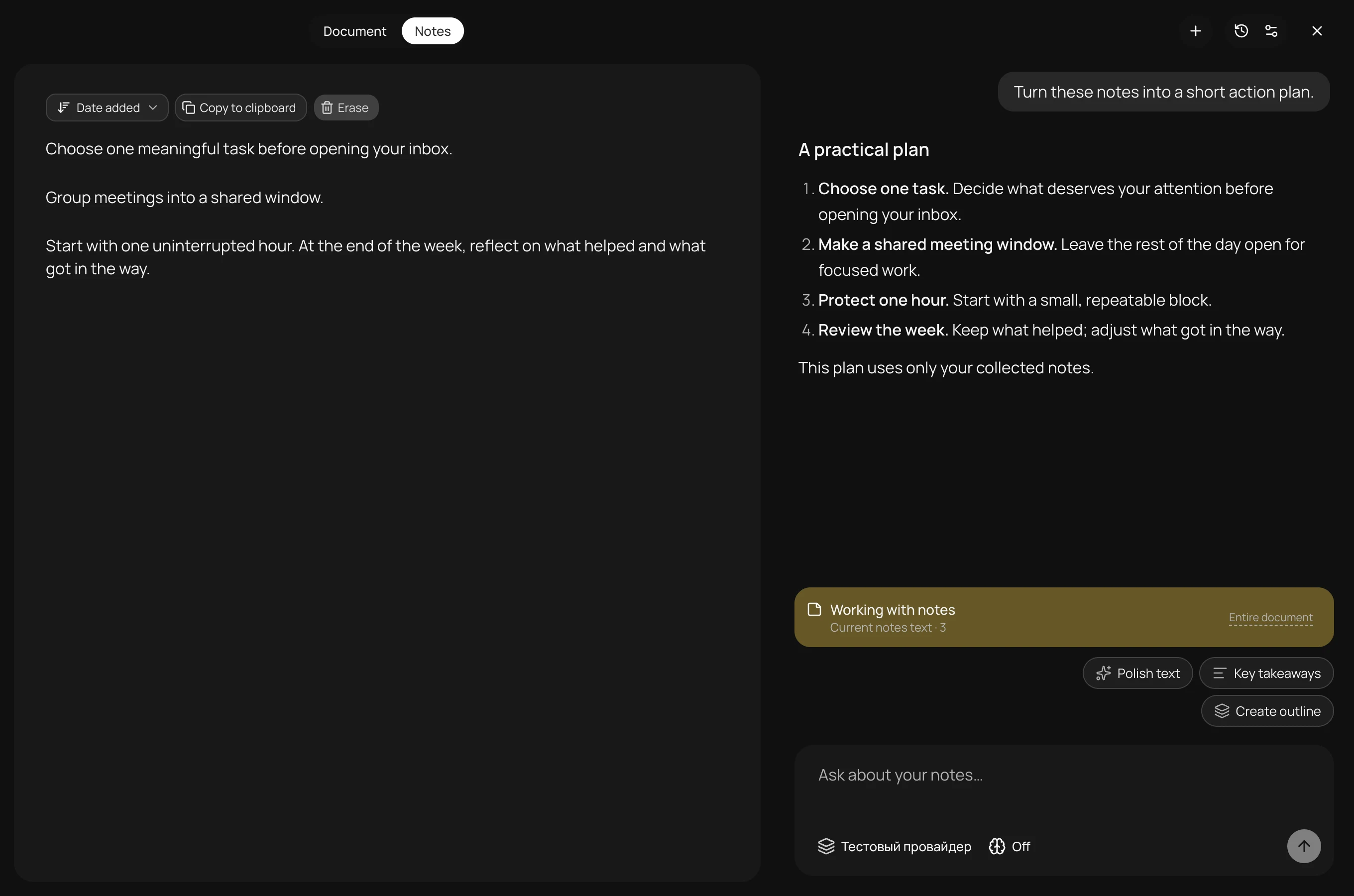
Collect passages in notes. Discuss those notes separately and turn them into an outline or an action plan.
AI edits arrive as suggestions. Review the proposed replacement and choose whether to save a revised copy. Your source file is not overwritten automatically.
Open Markdown or TXT, drag in a file, or paste from your clipboard.
Connect your AI. Use a quick action or ask about the passage you have selected.
Collect notes, return to a source section, or review a suggested edit.
The essentials, before you open your first document.
It brings both together. You read your Markdown in one pane and discuss the document or a selected passage alongside it. Notes have their own context for a separate conversation.
Yes. You can open documents, read, and collect notes without connecting a model. Questions, visual explanations, and suggested edits require an AI connection.
Markdown (.md, .markdown, .mdown) and TXT files up to 2 MB. You can also paste text from your clipboard. PDF and Word import are not supported.
kepodo uses the connection you choose: a ChatGPT account, a provider API key, or an installed agent. Access to models, usage limits, and any charges depend on that provider and your account.
Document snapshots and notes are stored locally. When you use AI, context is sent to your selected provider or agent. Its own data policies apply to those requests.
It can propose a replacement for a section. You review the suggestion and choose whether to save a revised copy. The original file is not overwritten automatically.
The current setup uses the source repository and requires Node.js 22.19 or later plus npm. Repository access is required; there is no public installer linked on this page.
Run from sourcegit clone https://github.com/rusakoff/kepodo.git
cd kepodo
npm install
npm run devRequires repository access, Node.js 22.19+, and npm. The first install downloads Electron.
Repository · access requiredA little space to read. A different way to understand.